Mikado Method: Primer
The Mikado Method was developed by Daniel Brolund and Ola Elnestam during a large refactoring effort with significant difficulties. They did a bunch of necessary refactoring in a traditional (revolutionary) style, while the rest of the team charged forward with continued product development. This, of course, created a cycle of ever-slowing and disconnected work from the rest of the team. Their code was entirely broken and the supporting test suite couldn’t run, let alone compile the project. Their moment of clarity came when they reverted their code: they were just doing the work in the wrong order.
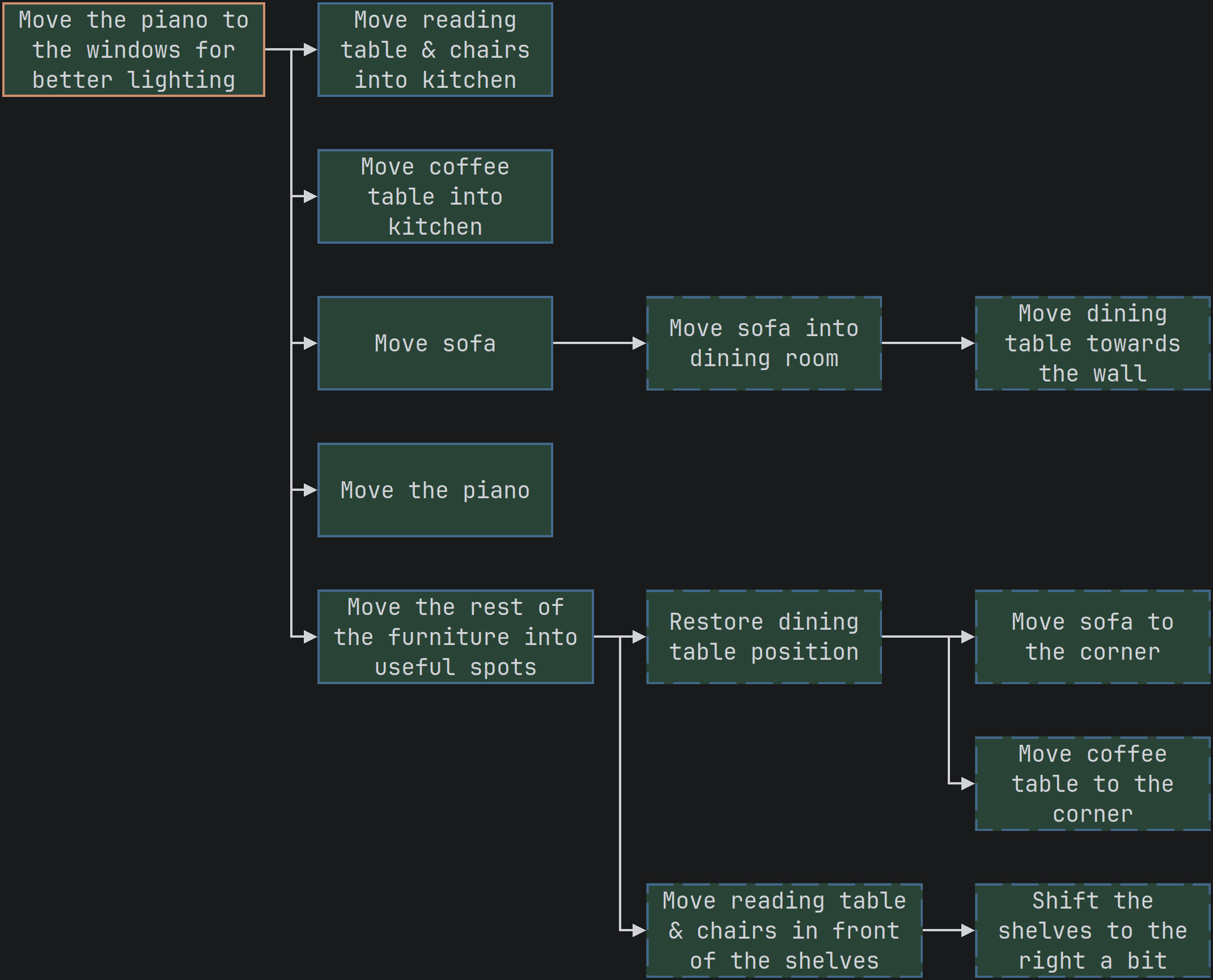
The Mikado Method is a structured thinking process which can be applied to any task, even moving furniture: if we want to move the piano to the windows, then we’ll need to move the sofa out of the way, which can be done by tucking the sofa beside the dining table, therefore I’ll have to shift the dining table to make that room. This simple example describes the exploration of the work in a forward direction and the execution in a backward direction: the dining table must be moved first. For this system to work for large changes, we need a graph to record what we need to do as a tree of prerequisites (dependencies).
Moving Furniture
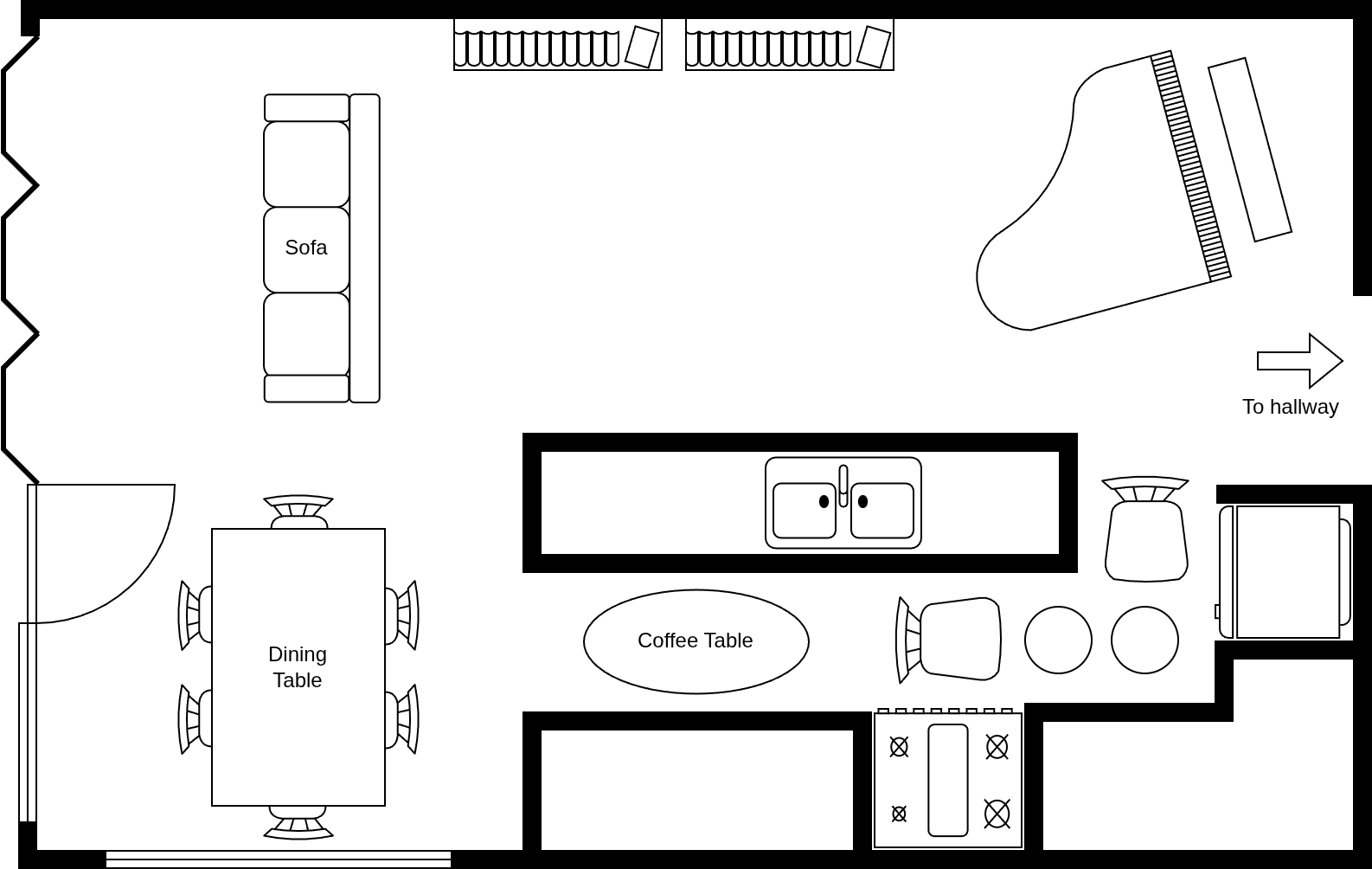
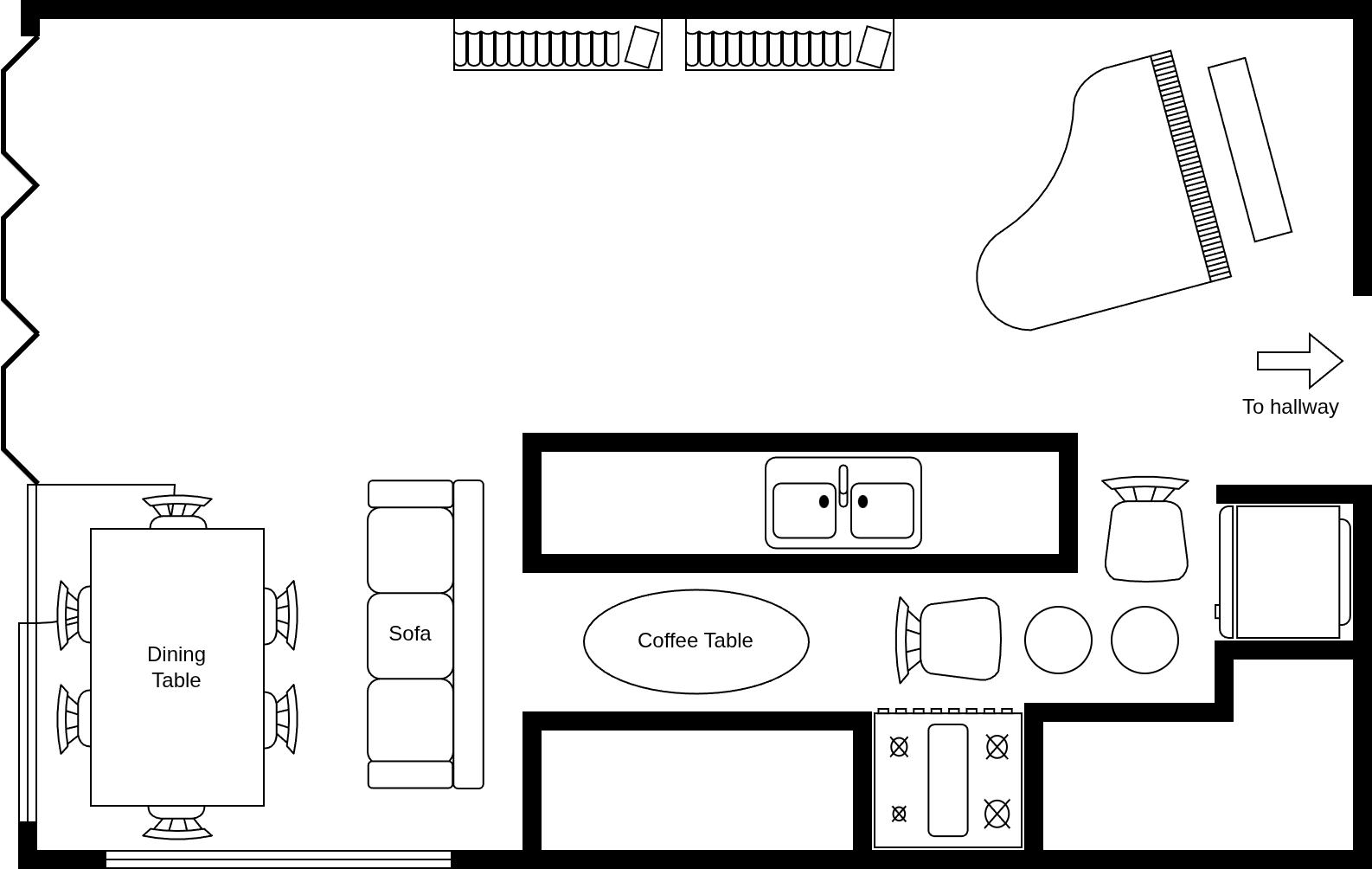
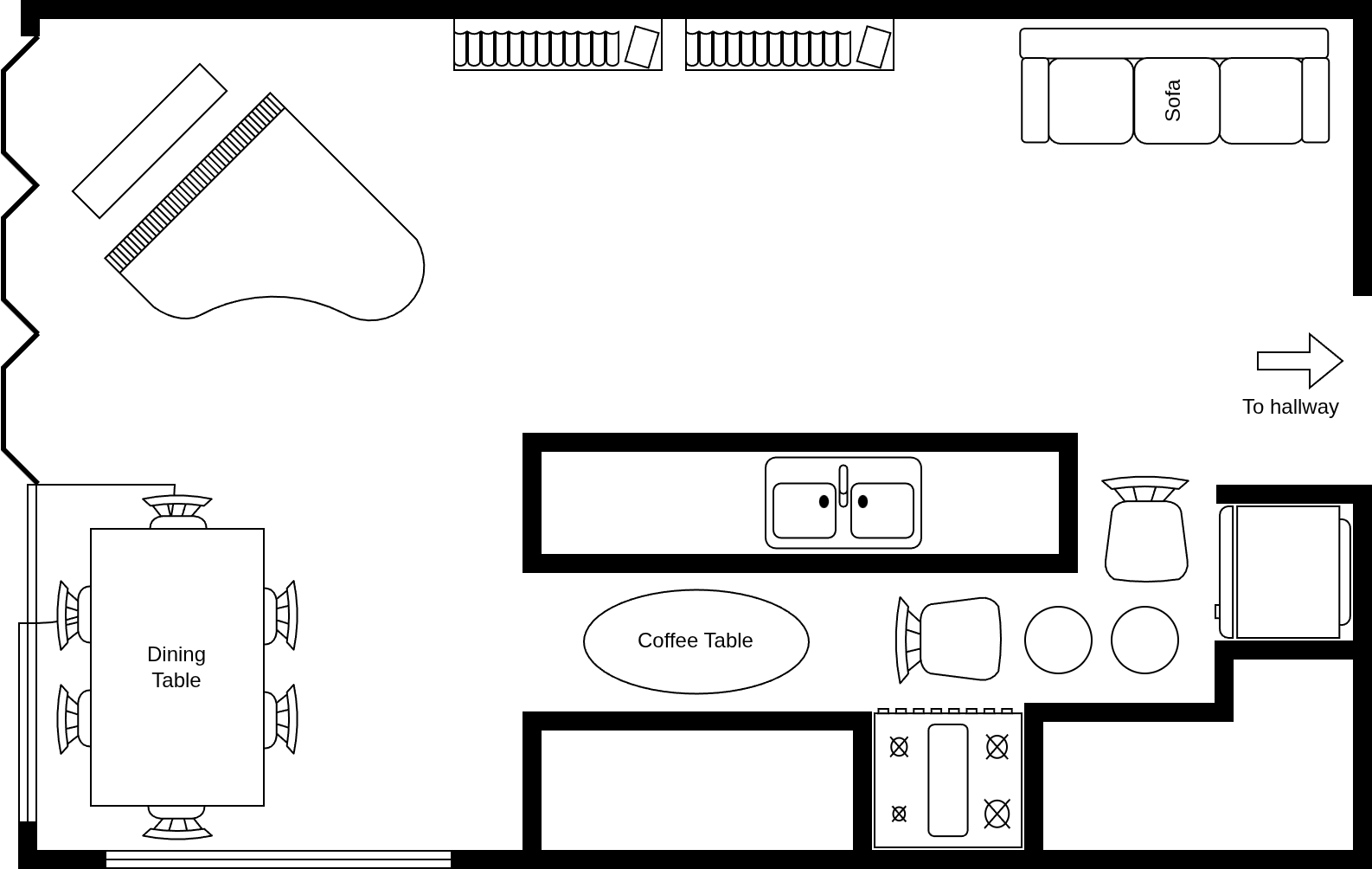
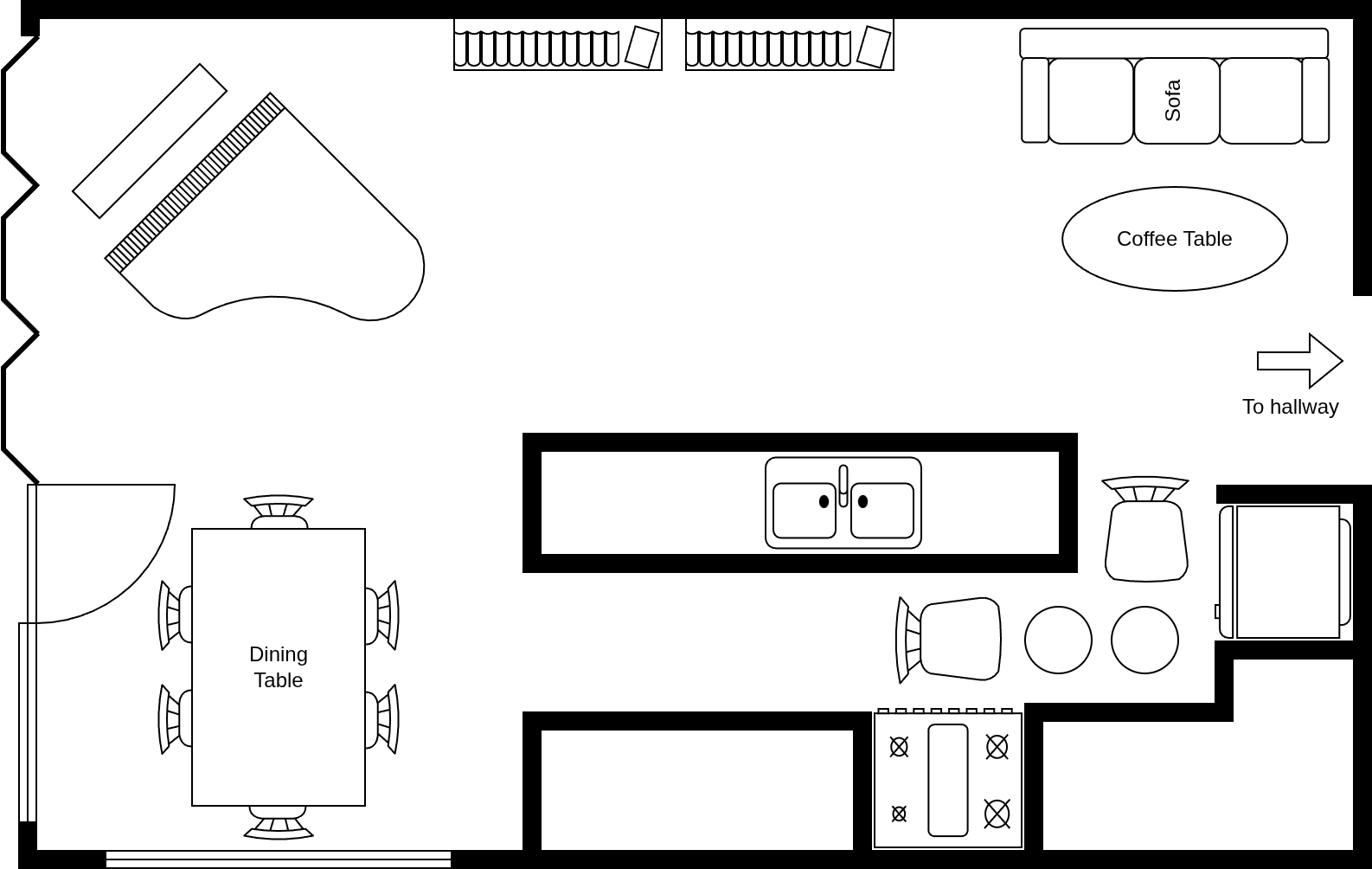
Let’s start with our hypothetical living room. It’s nice, but our resident pianist could use some better lighting. We would like to move the piano to the other side of the living room to make use of the light from the windows.
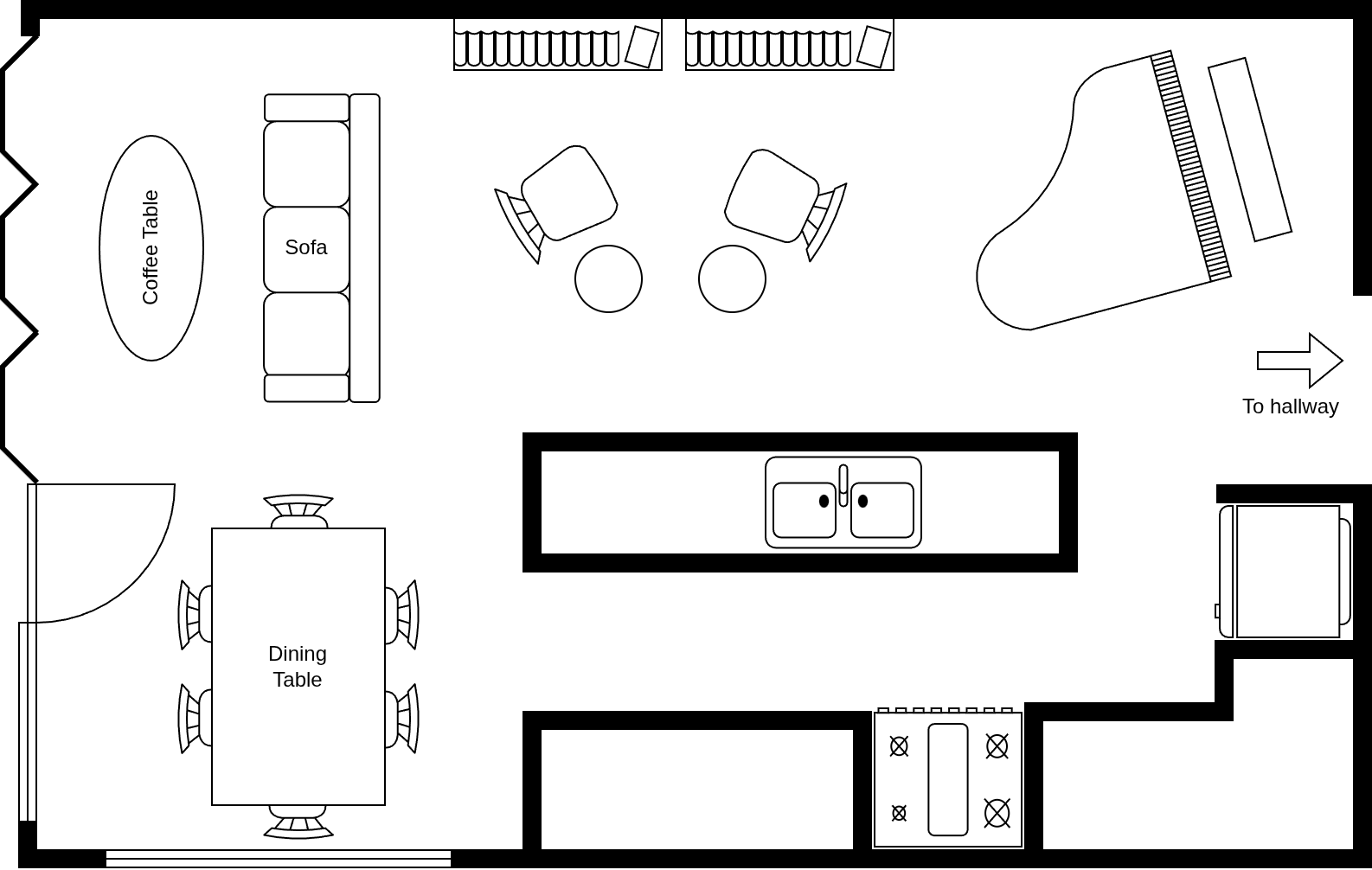
The Goal
We always start with the goal - it may be completed, but never removed. It should be both concise and representative to the effect that a colleague could pick up the work and know what to do. It is also wise to mention the value it brings to the the business.
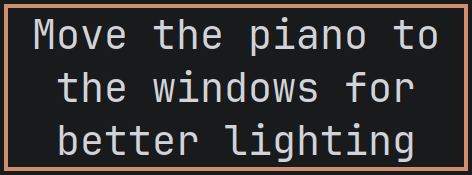
Experiment
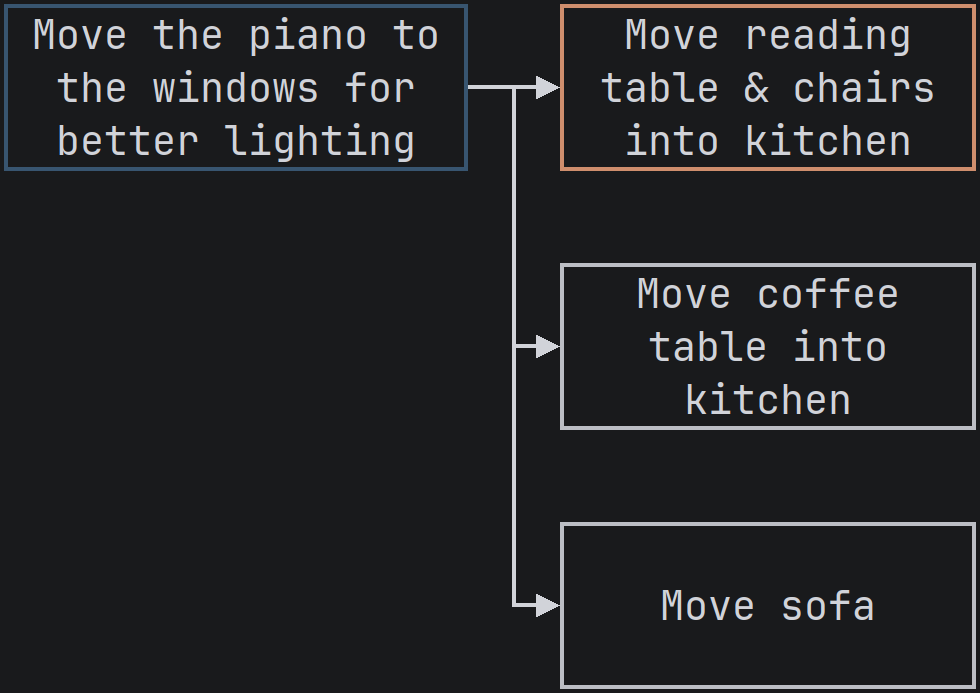
We start with a naive experiment for the current leaf node, which happens to be the goal: naively, let’s just move the piano. Alas, the reading chairs & tables, the sofa, and the coffee table are all in the way! Although the experiment didn’t, we have some good news! We discovered prerequisites (dependencies) which need to be resolved before we can move the piano.
Visualize
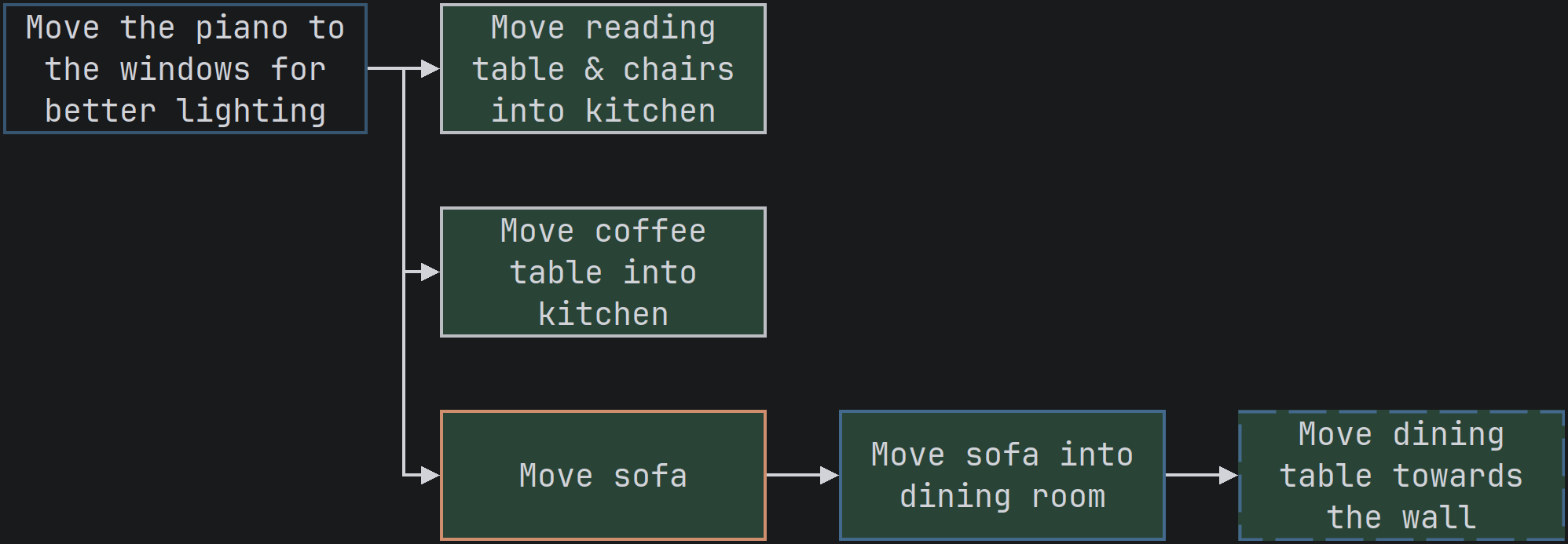
We take a moment to come up with immediate solutions to the issues at hand. We have an obvious solution for the coffee table as well as the reading table & chairs: they can fit in the kitchen. These are simple and naive, perfect for the Mikado Method.
The sofa is larger and may need to go elsewhere, but we can decide that later. This makes the node for moving the sofa a “sub goal”. Sub goals are less specific than raw experiments where we can defer a decision for later.
With these solutions identified, we can map out our work.
Undo
Before we do anything, we undo the move of the piano. Thankfully, it’s on wheels and it’s easy to move.
An Experiment That Works
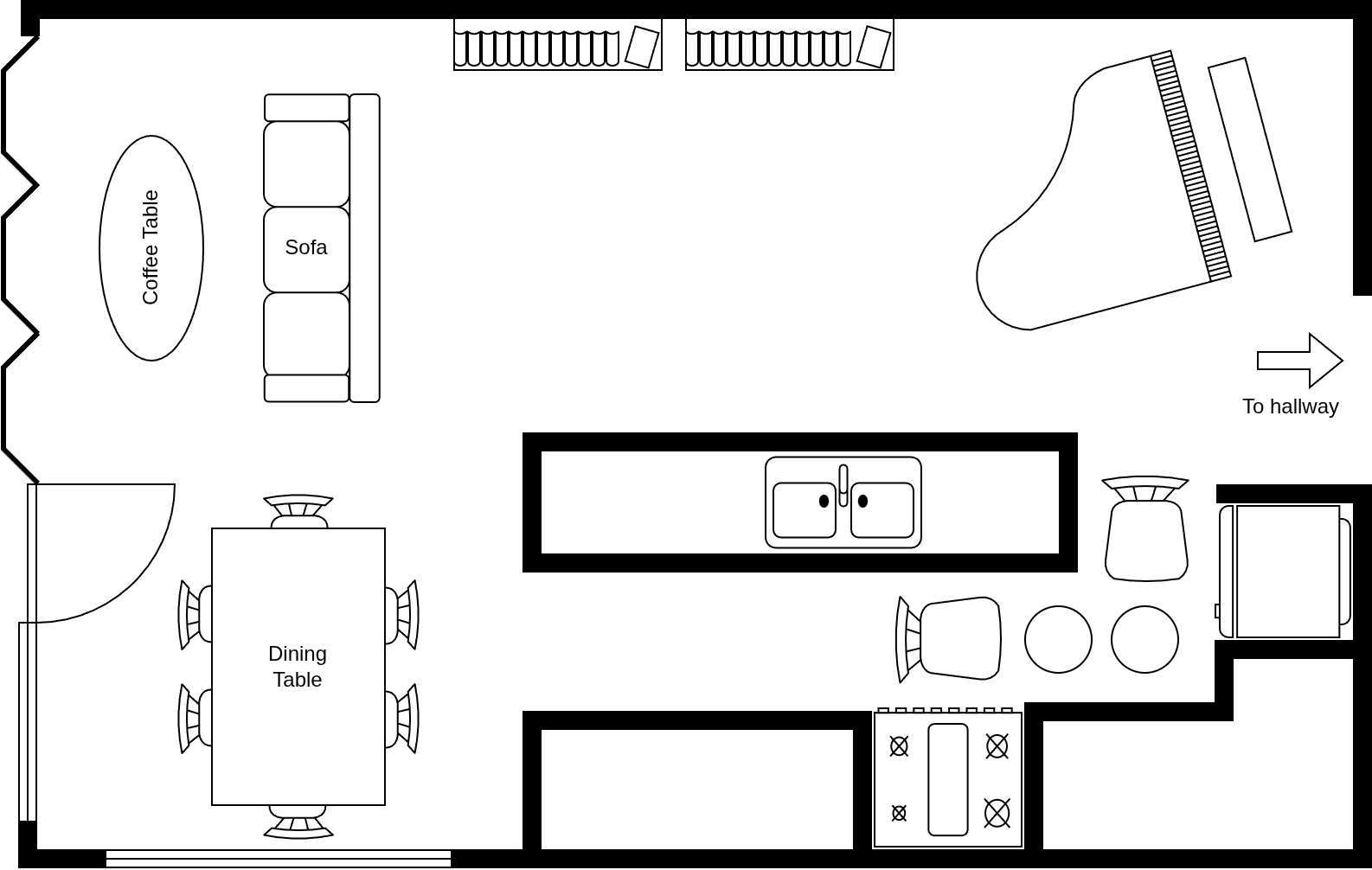
We have three leaf nodes and one obvious one which can work: moving the reading chair and their tables into the kitchen. Let’s do that!
Since this just worked, we just bounced into the execution phase!
Analyze
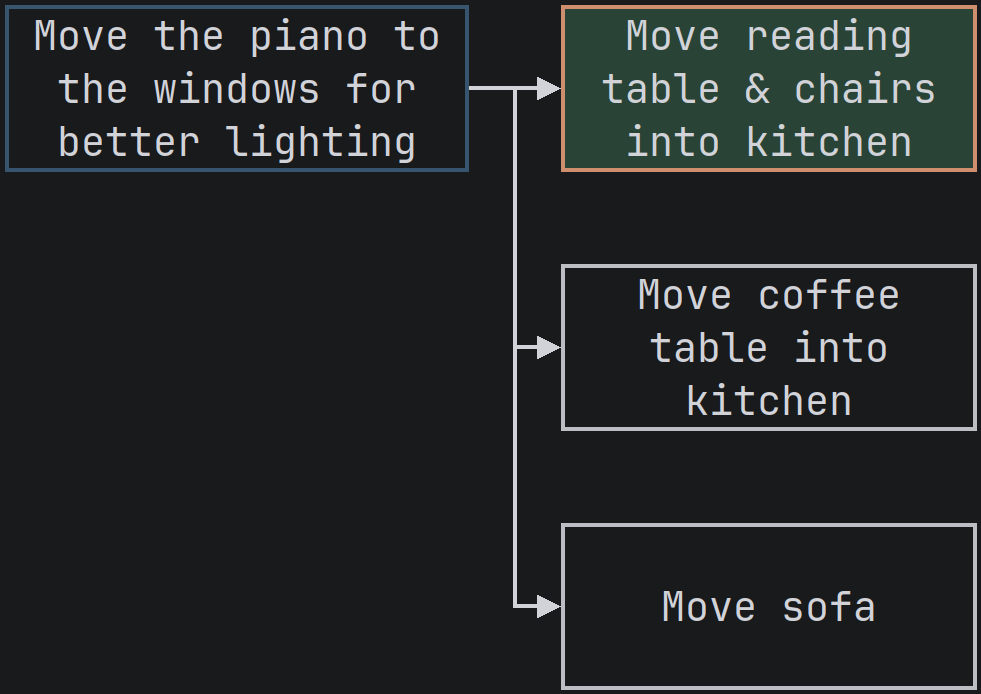
The tables and chairs are tucked away for the time being, which will allow us to move forward, but not before we record our progress!
Check Node, Commit Code!
There’s a mantra in the Mikado Method: “check node, commit code.” This is a mental signal to save our work whenever we mark a prerequisite as complete.
If this were pen and paper, we would put a check-mark on the node. However, Easely notes this change with a green background. Since this analogy of moving furniture isn’t a software project, our commit will be to leave the furniture where it is.
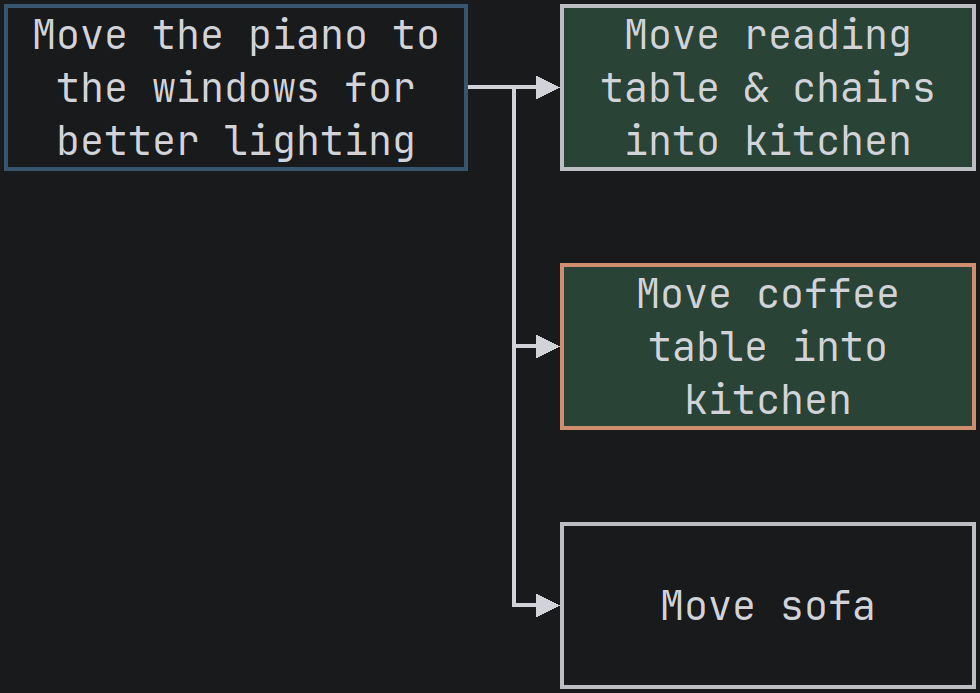
The Coffee Table
This is another easy move to make. Let’s make it happen!
The Sofa?
Our sofa is too big for the kitchen. It’s also heavy and we don’t want to move it far. There’s good news, though! It can fit in the dining room if we make some room.
This sub goal can be fleshed out with some prerequisites of its own.
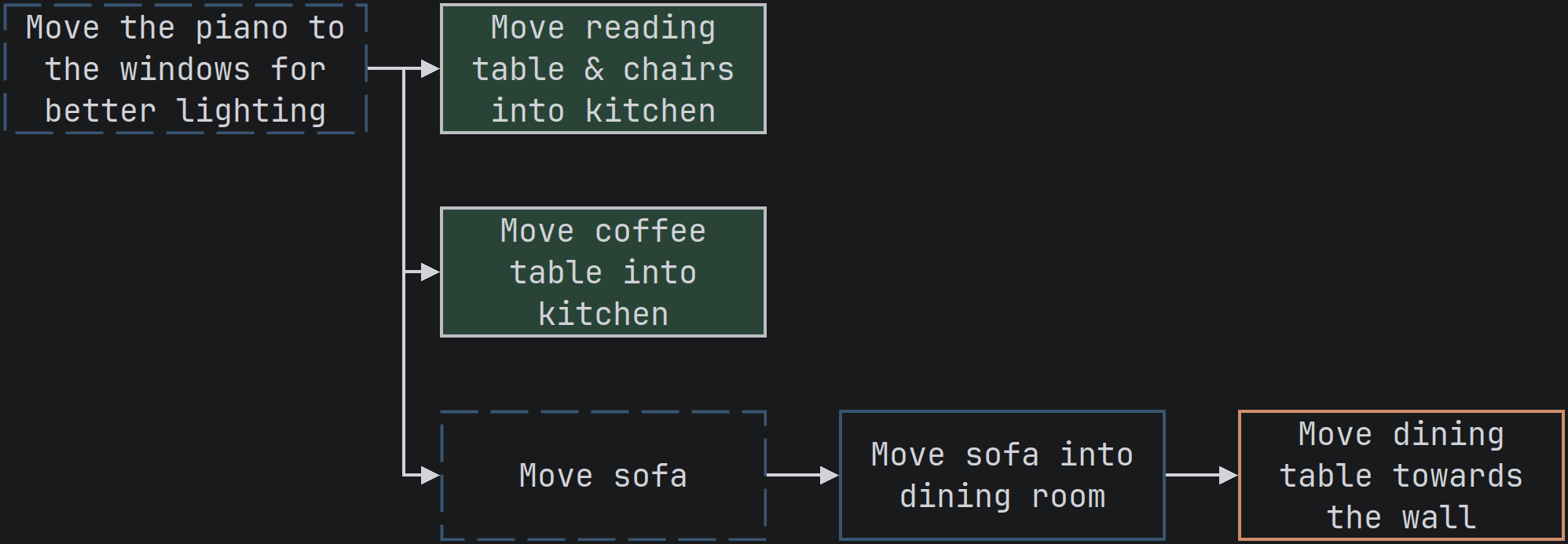
The Sofa!
Now that we are getting the hang of it, let’s move the dining table and the sofa. This clears the way to move the piano, but we’ll keep our changes small to limit complexity.
One step at a time.
Ah, the Piano!
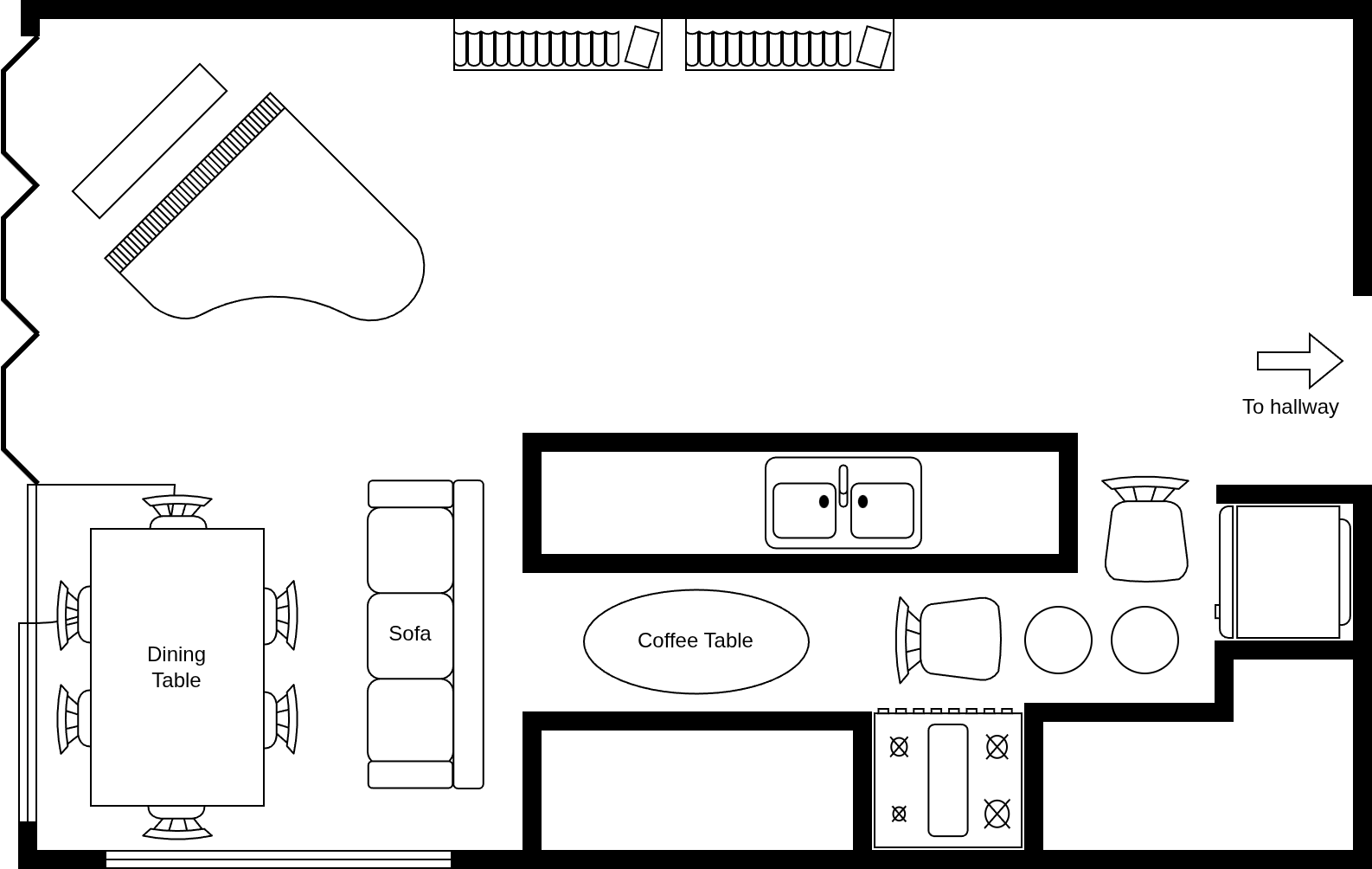
Now let’s move the piano.
Are we Done?
Although we’ve moved the piano and it would appear like the goal has been met, the rest of the furniture is out of place; we haven’t really met our goal.
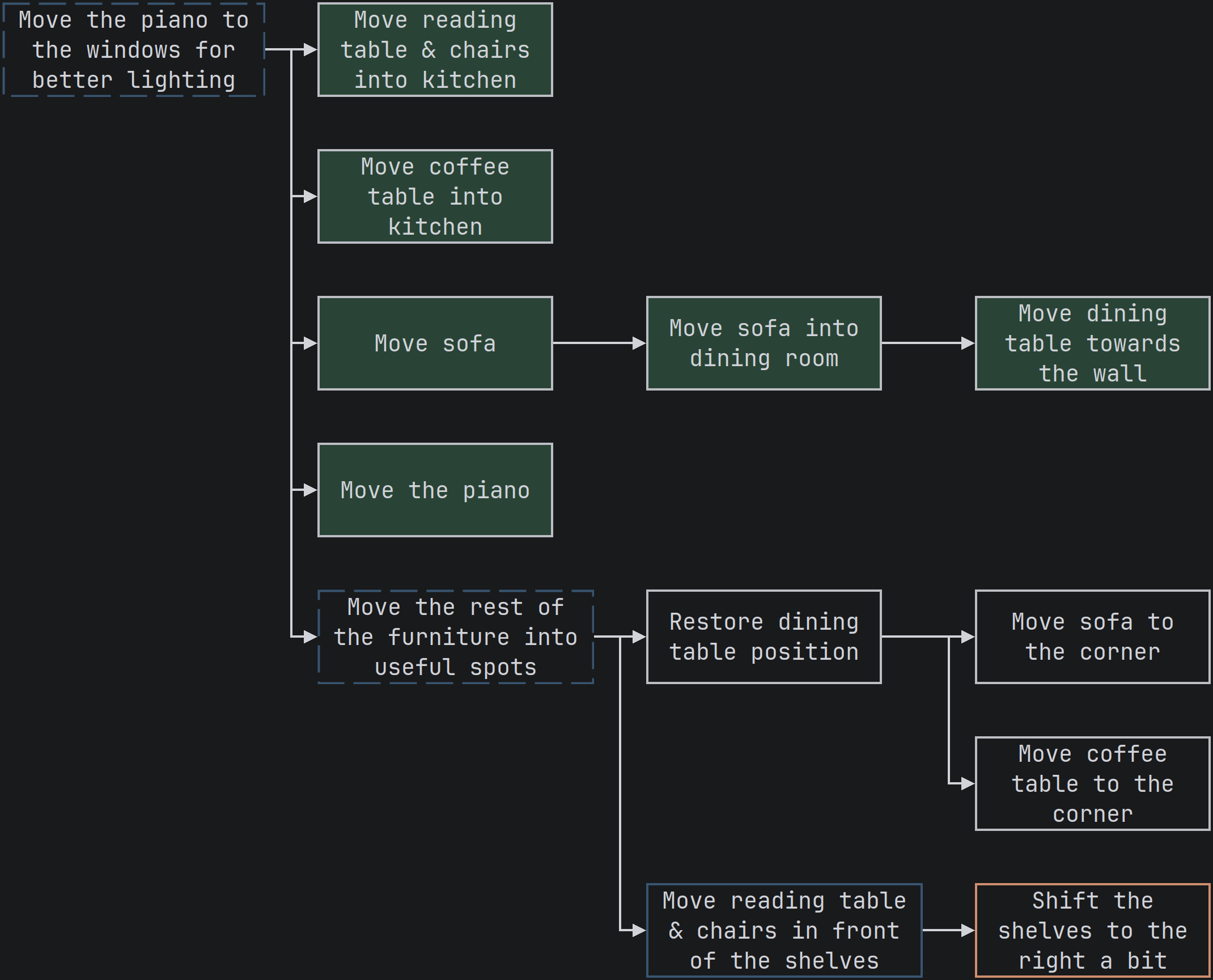
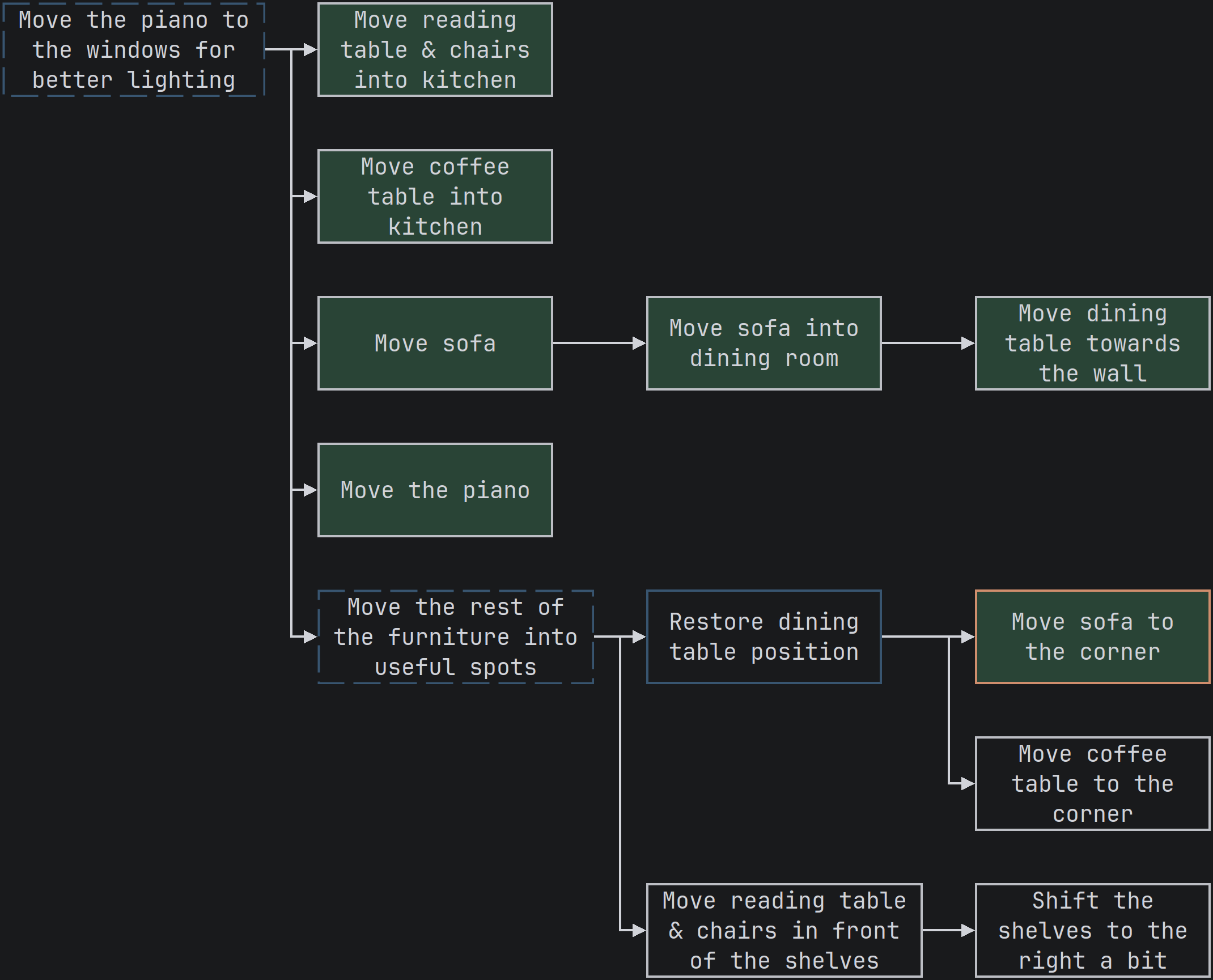
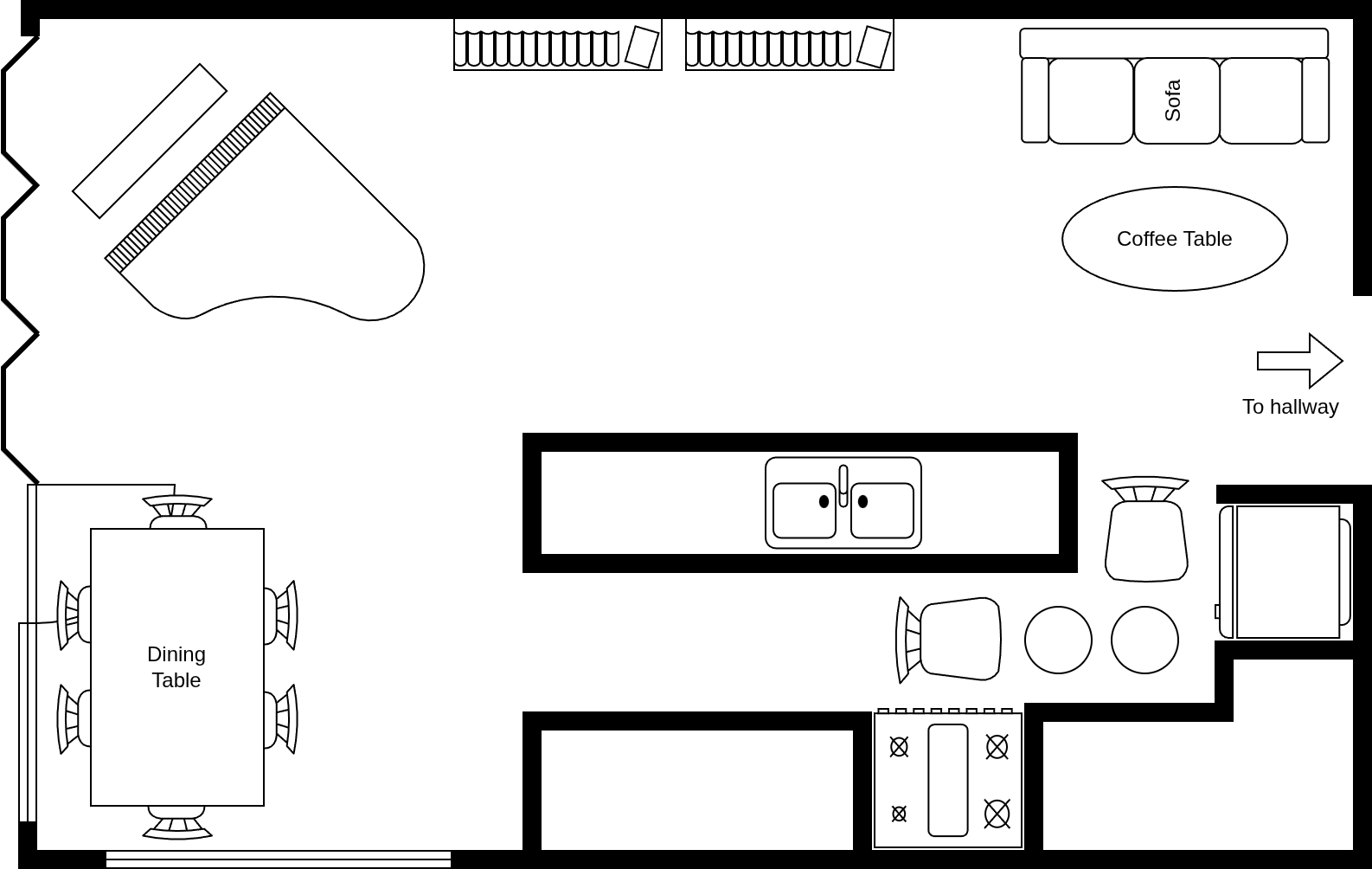
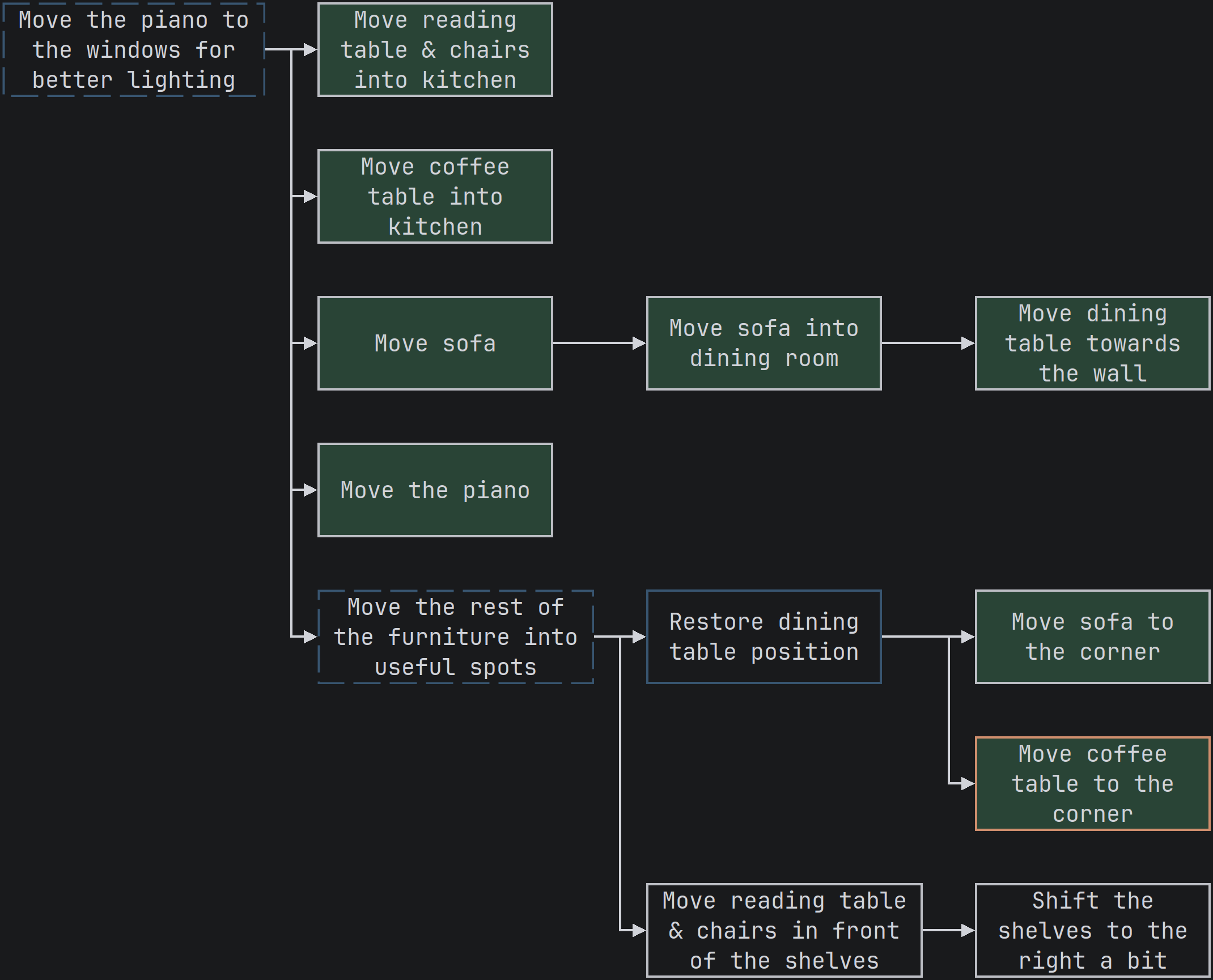
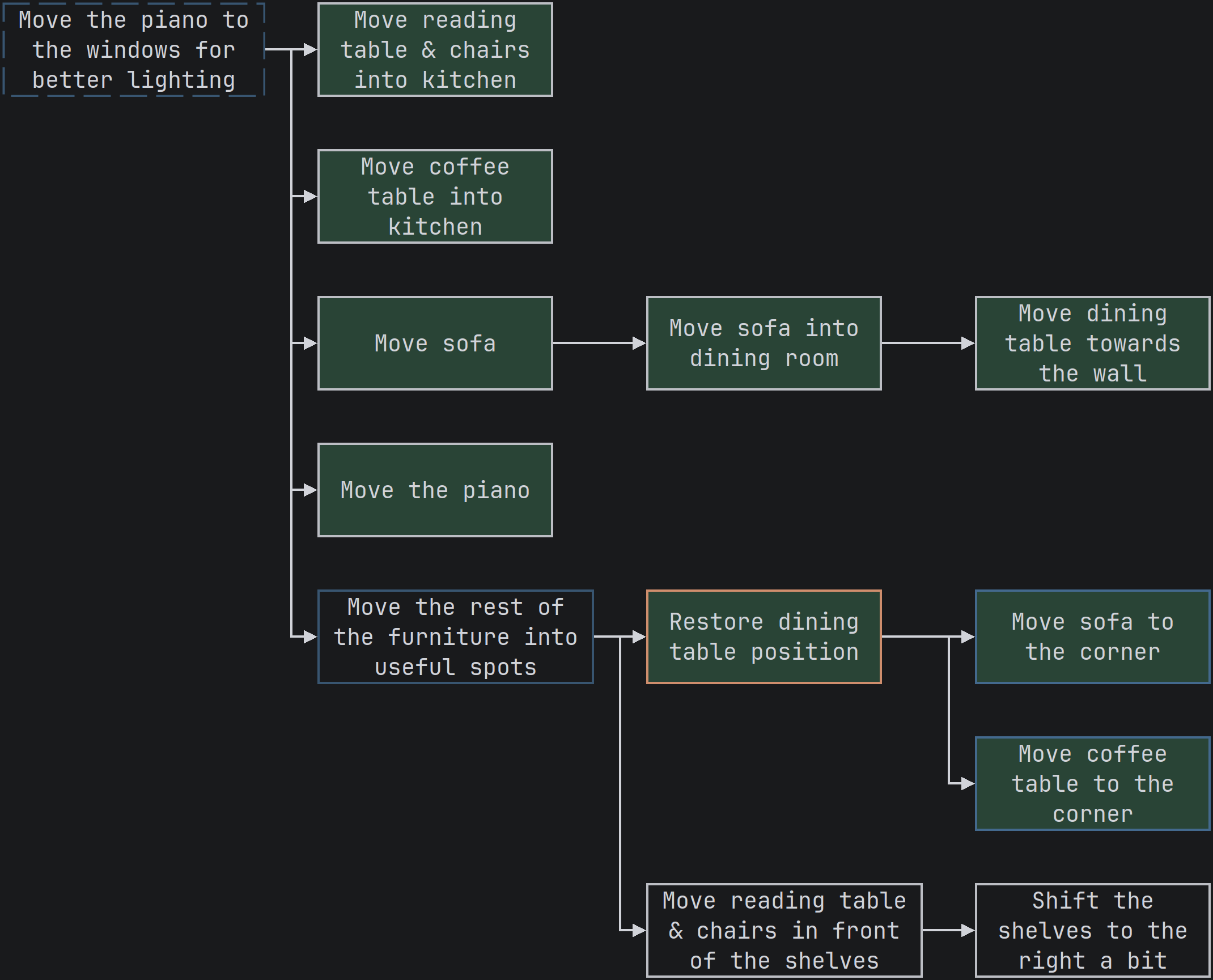
Let’s update our graph to reflect our current state, a new sub goal for restoring the room, and some tasks for each item of furniture.
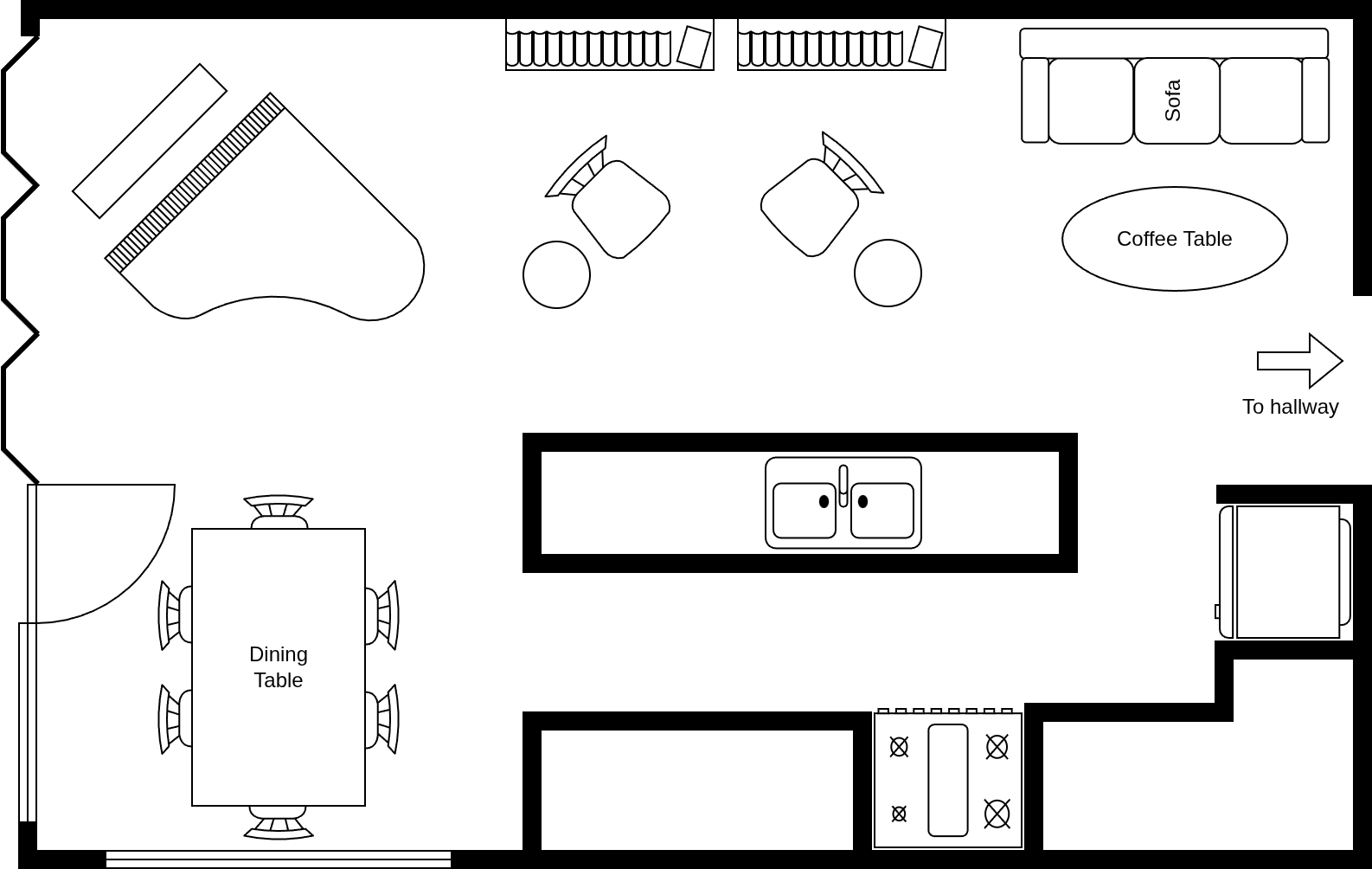
Restoring the Room
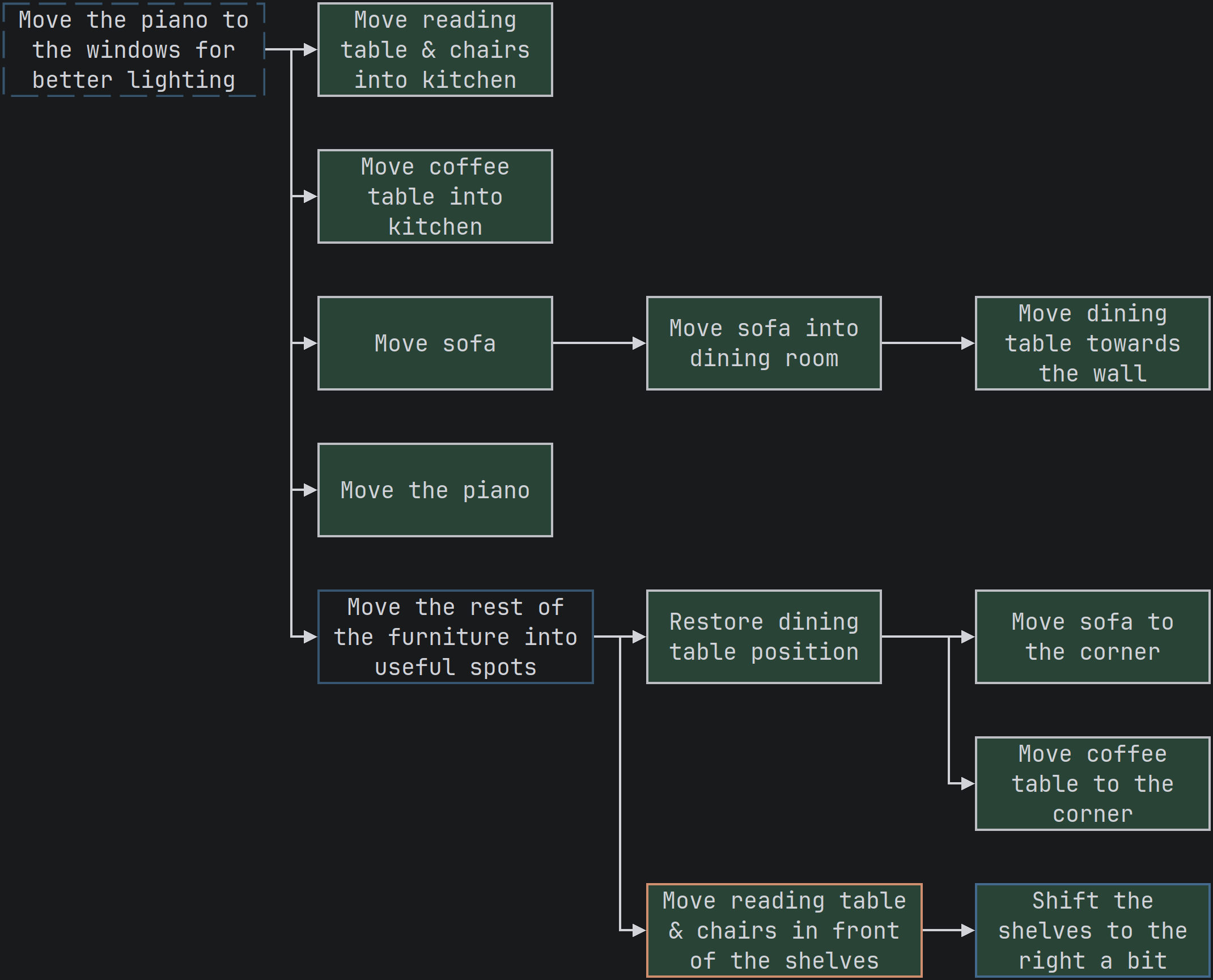
While going through the effort, we check off nodes one at a time to keep our units of work small.
The Last Check
It looks like everything is done. The furniture is in useful spots and there’s nothing left to do that we can see. Let’s complete the graph and appreciate the works of our hands (and minds)!
Common Troubles
To Undo or Not to Undo
We are human beings and we are vulnerable to the sunk cost fallacy: the more we invest, the harder it is to pull the plug. This hits home for software development as well. The larger the diff of our working tree, the harder it is to undo - it just feels wrong! This is a trap.
The longer we go without undoing our work, the larger our diff becomes, the more context we must juggle in our brains, thus the pace of work continues to slow down.